

ProductAnthropicConfirmed
Story 1 of 17 in the Tuesday 24 November editionAnthropic lets Claude artifacts install as Mac and Windows apps
Rolling out in beta in Claude desktop with standalone icons, MCP connector access, menu bar and tray widgets, and three local permission tiers.

 Edited by Ashutosh Shrivastava
25 Nov 2026, 09:05 IST · 3 min read
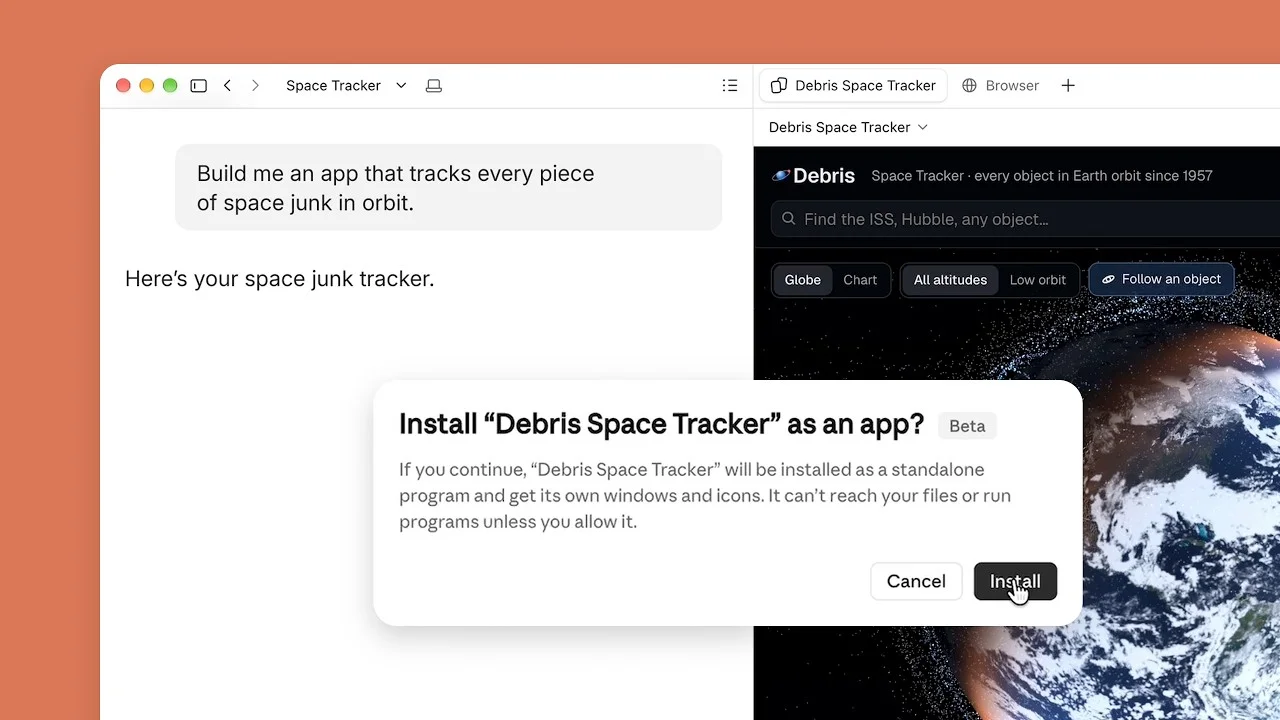
Anthropic rolled out an Install as app beta inside Claude for Mac and Windows on 24 November 2026, allowing users to convert interactive Claude artifacts into standalone desktop applications without manual packaging, signing or API keys. Arriving a day after Anthropic merged connectors and skills into 10,000+ Claude plugins, each installed artifact receives a dedicated dock or taskbar icon, opens in its own window outside the main Claude client, authenticates through the user’s existing Claude account, and updates automatically when the underlying artifact is edited.
Menu bar widgets, internal builds and three-tier host permissions
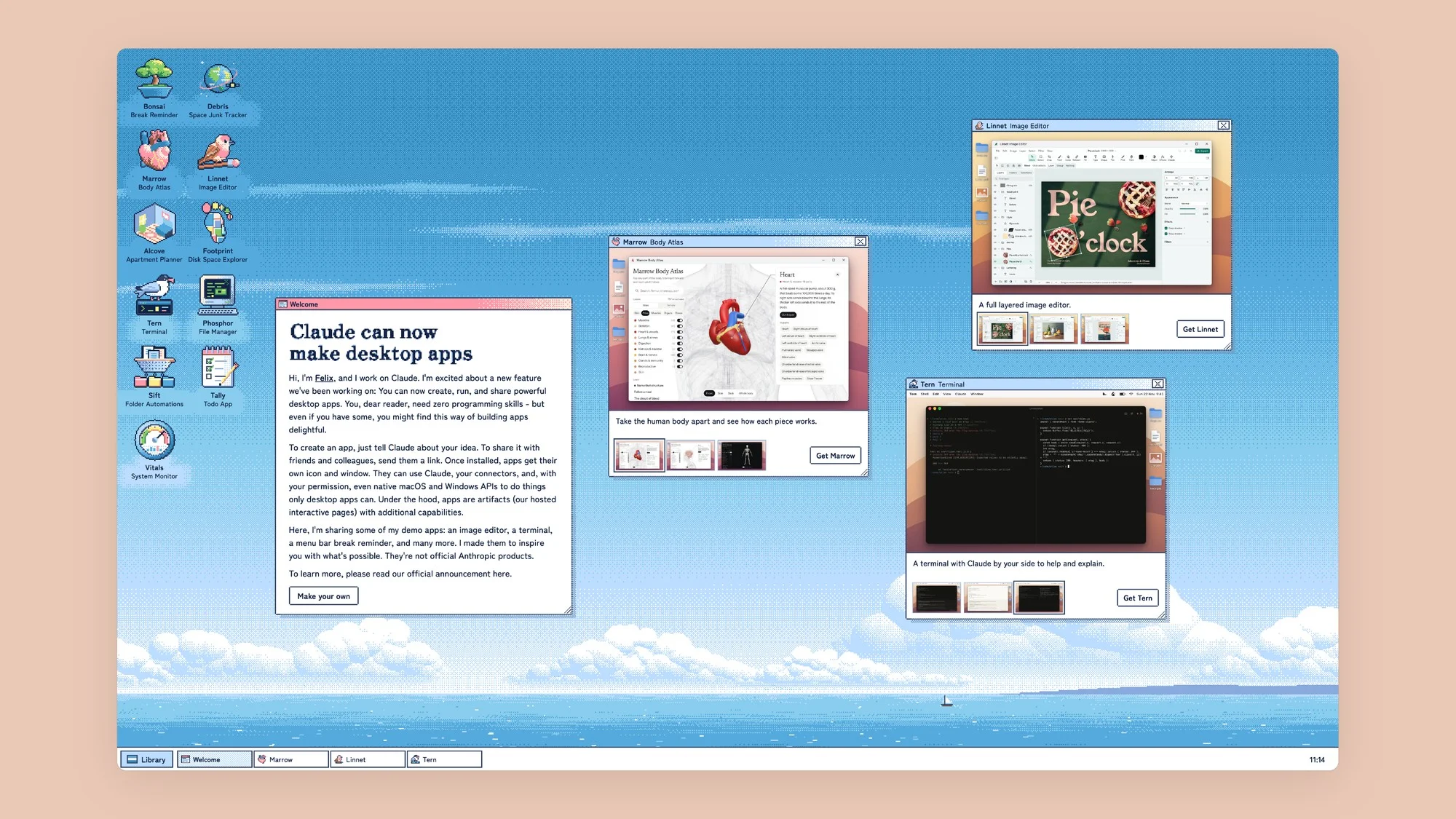
Installed artifact applications can add persistent items to the macOS menu bar or Windows system tray, register global keyboard shortcuts, and trigger native desktop notifications while calling configured MCP connectors. Internal examples built at Anthropic include Linnet for layered image editing, Phosphor for file management, Sift for automated folder rules, Tern for Claude-assisted terminal sessions, and Vitals for system resource monitoring. Model requests made by an installed app draw from the user’s existing Claude subscription quota.
Host access is separated across three permission levels: Default restricts the app to standard browser sandboxing; App permissions enables controlled desktop features such as always-on-top windows, global shortcuts and notifications; and Full computer access permits executing local programs and reading, editing or deleting local files without repeated prompts. Permissions bind strictly to a single version and reset after every edit, while Full computer access is restricted to apps authored by the user or members of their Team or Enterprise organisation. Anthropic has not announced general-availability dates or offline execution support.
Key details
- Supported desktop clients
- Claude for Mac and Claude for Windows (Install as app beta)
- Host permission tiers
- Default (browser sandbox), App permissions (shortcuts, tray, notifications) and Full computer access
- Authentication and billing
- Uses signed-in Claude account and connectors with no separate API key; counts against plan limits
- Enterprise governance
- Team and Enterprise administrators can disable App permissions and Full computer access org-wide
Release details & context
Version-bound re-authorisation and external web content caveats
Anthropic does not review user-shared artifact applications prior to installation, so Claude enforces two structural guardrails around host privileges. Every edit to an underlying artifact invalidates previously granted App permissions or Full computer access, prompting the user to inspect and re-approve the updated revision before desktop capabilities resume.
Anthropic warns that if an installed artifact loads embedded scripts or resources from an external website, that remote content can change without triggering Claude’s version check, reinforcing why Full computer access is blocked on externally shared artifacts outside a user’s own Team or Enterprise workspace.
Common questions
Who can grant Full computer access to an installed Claude artifact desktop app?
Users can grant Full computer access only to artifacts they created themselves or, on Team and Enterprise plans where administrators allow it, artifacts created by members of the same organisation.
Do installed Claude artifact apps require separate API keys or code signing?
No, clicking Install as app launches the artifact directly through the user’s signed-in Claude desktop session with no separate packaging, signing certificate or API key setup.
Sources
Anthropic release timeline (50 launches tracked)
- Anthropic prices 980M-share Nasdaq IPO at $83 under ticker ANT
Anthropic prices its 980-million-share Nasdaq Global Select IPO at $83 per share under ticker ANT, raising $79.38 billion in gross primary proceeds.
- Anthropic launches Claude Ship beta to review, fix and approve PRs
Anthropic launches Claude Ship in beta, pairing Code Review, PR Steward and policy-driven Claude Approvals across GitHub pull requests.
- Anthropic opens Zero Data Retention with Frontier Safeguards beta
Anthropic opens Zero Data Retention with Enterprise Frontier Safeguards in public beta, keeping encrypted Messages API logs in customer cloud storage.
- Anthropic merges Claude connectors and skills into 10,000+ plugins
Anthropic combines tool connectors and skills into a unified directory of more than 10,000 Claude plugins on Free, Pro, Max and Ultra plans.